Basketball Games › Basketball Legends
THE 2020 COURT CLASSIC
Basketball Legends
Play Basketball Legends online in your browser, with quick-match action and a local 2 player menu.
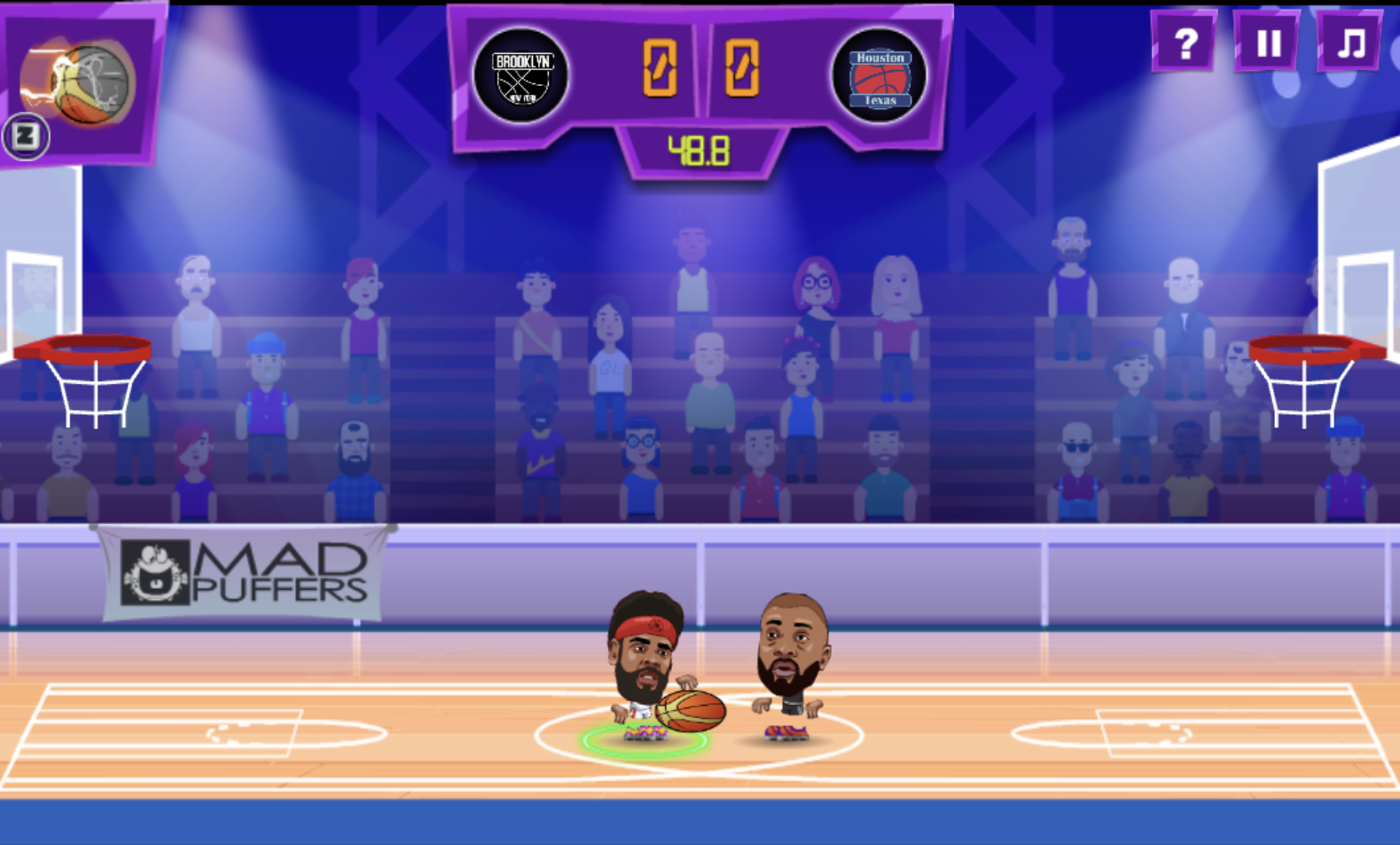 Loads from GameMonetize. Ads may show before the menu.
Press Play to load the game. Nothing loads from the distributor before that.
ABOUT THIS VERSION
Basketball Legends 2020 is a free arcade basketball game by MadPuffers and the sequel to Basketball Stars. Play quick matches as star players, solo or with a friend on one keyboard. This page covers the browser version we tested (2020, 1.0.9gm) — not the Roblox game with a similar name.
Basketball Legends controls
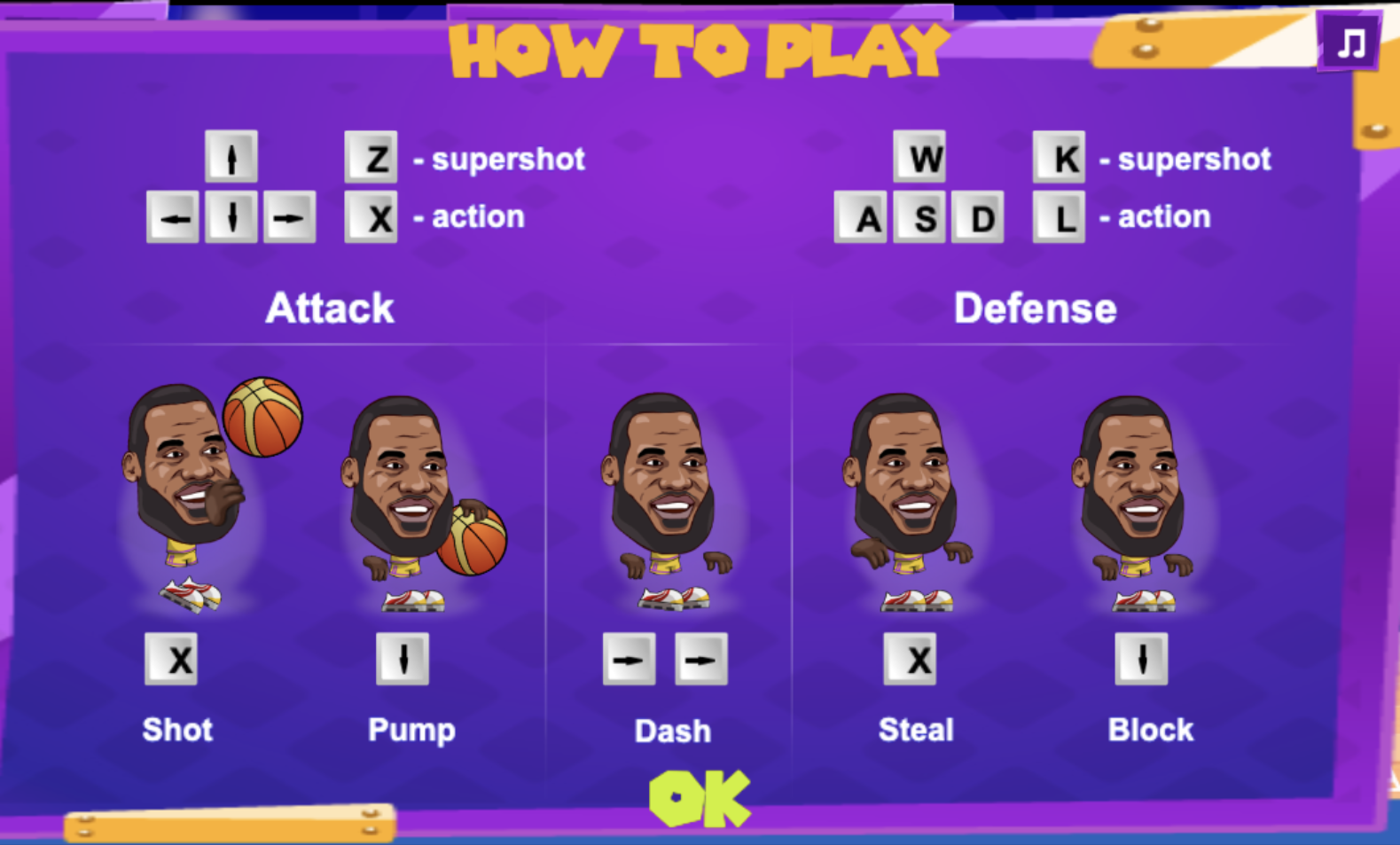
The in-game HOW TO PLAY screen of the version we tested lists two control sets:
| Control set | Move | Supershot | Action |
|---|---|---|---|
| Set 1 | Arrow keys | Z | X |
| Set 2 | W, A, S, D | K | L |
These sets were read from the game's own help screen on 2026-11-20 (screenshot below). Which set maps to player 1 or player 2 in two-player mode is not yet fully tested by us — check the in-game help when you start a 2 PLAYERS match.
Basketball Legends 2 player mode
The 2 PLAYERS multiplayer option is for a local matchup on one device. It is different from a remote online lobby: two people share the screen and keyboard. The menu is visible in the version embedded here; our shared-keyboard match test is still pending.
- Start the game and finish any distributor prompt before choosing a mode.
- Select 2 PLAYERS from the game menu.
- Use the mode choices shown in that build, then read its control diagram before assigning keys.
- Check each player’s movement separately before trying both sets together.
For choosing between the two titles and preparing one keyboard, visit 2 player basketball games. The Basketball Legends controls above show the two sets we actually observed, without guessing their player assignments.
Basketball Legends game modes and devices
| Item | What we confirmed on 2026-11-20 |
|---|---|
| Main menu | 1 PLAYER, 2 PLAYERS and QUICK MATCH are present |
| Quick match | Entered a live match with players, court, score and countdown |
| Two-player mode | Menu option exists; shared-keyboard play not yet tested by us |
| Desktop | Tested with keyboard in a desktop browser, including inside this site's own page frame |
| Mobile / tablet | Not yet tested — we make no mobile claim for this version |
How to play Basketball Legends
Press Play, wait through the distributor's loader or ad, then choose QUICK MATCH. Score more than your opponent before time runs out; the supershot key is your big scoring move when it is ready.
Basketball Legends shooting, blocking and supershot
The saved help screen labels X as the action key for one set and L for the other. A shot is an attacking action; a steal is a defensive action. Read the in-game diagram in the selected mode before treating either letter as a universal player-one key.
The same screen labels Z and K as supershot keys for the two sets. Check the ability indicator before trying a special move. Repeated key presses will not solve an unready move or a game that has lost keyboard focus.
For practice, try one change at a time: move toward the basket, use the displayed shot action, then repeat with a defender nearby. This is a suggested practice sequence, not a measured scoring exploit or a guaranteed dunk combination.
How to dunk in Basketball Legends
The game’s jump and shot actions are the starting point for a close-range dunk attempt. Check the HOW TO PLAY screen before trying it: the saved 2020 build labels X as an action and Z as a supershot for one set, and L/K for the other. Do not confuse the separate special move with every ordinary shot near the rim.
A live quick match is verified on this site, but we have not measured a universal dunk timing window or success rate. For a repeatable practice check, change only your distance to the basket between attempts and use the displayed control for the active mode.
Basketball Legends loading help
- A black screen or ad right after pressing Play is normal — the first launch goes through the distributor and can take a while.
- Click inside the game frame once so it receives your keyboard input.
- Use Reload once to restart the embed. If the same stage keeps stopping, use the provider-specific checks in the help center.
- The page cannot confirm what is happening inside the game; a loading notice is not a diagnosis of a server outage.
More basketball games: Basketball Stars
Basketball Stars is the earlier MadPuffers game that this 2020 sequel builds on — same quick-match arcade style with the original roster.
Basketball Legends unblocked: browser access
If you searched for Basketball Legends unblocked or Basketball Legends 2020 unblocked, this is the same MadPuffers browser game page, with the controls and version notes alongside it. The word “unblocked” does not identify a separate official edition.
The page and the distributor load from different domains. A network may allow the page while blocking the game or its advertising resources, so opening this page is not proof that a match will start. This site cannot promise access on every school, work or managed Chromebook network.
Use a network where games are permitted. If the embed stops loading, follow Basketball Legends not loading checks rather than opening an endless series of duplicate mirrors. No browser extension or installer is required by this page.
Basketball Legends FAQ
How to play Basketball Legends 2020?
Press Play, wait for the distributor to finish loading, then choose QUICK MATCH or a menu mode. A live quick match has been confirmed inside this page. Read HOW TO PLAY before testing the controls.
How do you dunk in Basketball Legends 2020?
Start with the game’s own jump and shot actions near the basket. The saved help labels X as an action and Z as a supershot for one control set, with L and K for the other. We have not verified a separate universal dunk shortcut or a guaranteed scoring sequence.
How do you play double player on Basketball Legends?
Choose 2 PLAYERS from the menu and follow the setup shown in the game. Read the mode-specific diagram before assigning a keyboard side; our two-person operation test is still pending.
Who created Basketball Legends 2020?
MadPuffers created this browser game. The title on the tested menu is Basketball Legends 2020; it is different from the Roblox experience with a similar name.
Can I play the game for free?
The GameMonetize game can be started here without a site payment or registration. The distributor may show advertising before play, so free does not mean ad-free.
Can I play Basketball Legends 2020 on desktops, mobile phones and tablets?
Desktop play in this site’s frame is verified. Phones and tablets have not been tested here, so we do not promise touch support for the embedded version.
Supply tested on 2026-11-20 via the public GameMonetize flow: menu, live quick match and the in-game controls screen confirmed, screenshots saved. This is an independent fan site, not an official MadPuffers or GameMonetize page, and listing here is not a claim of official licensing. The game loads from the distributor and may show ads.
Game information: GameMonetize game listing, Poki developer information, CrazyGames question topics. Controls and version-specific limitations are checked against our own saved game screens; another portal’s build may behave differently.